

The first step to improving learning conditions is to review your Elevate report to get a better understanding of how your students are experiencing your class. For suggestions about how to prioritize which learning conditions to work on improving first, check out this article that describes various approaches to starting your improvement journey.
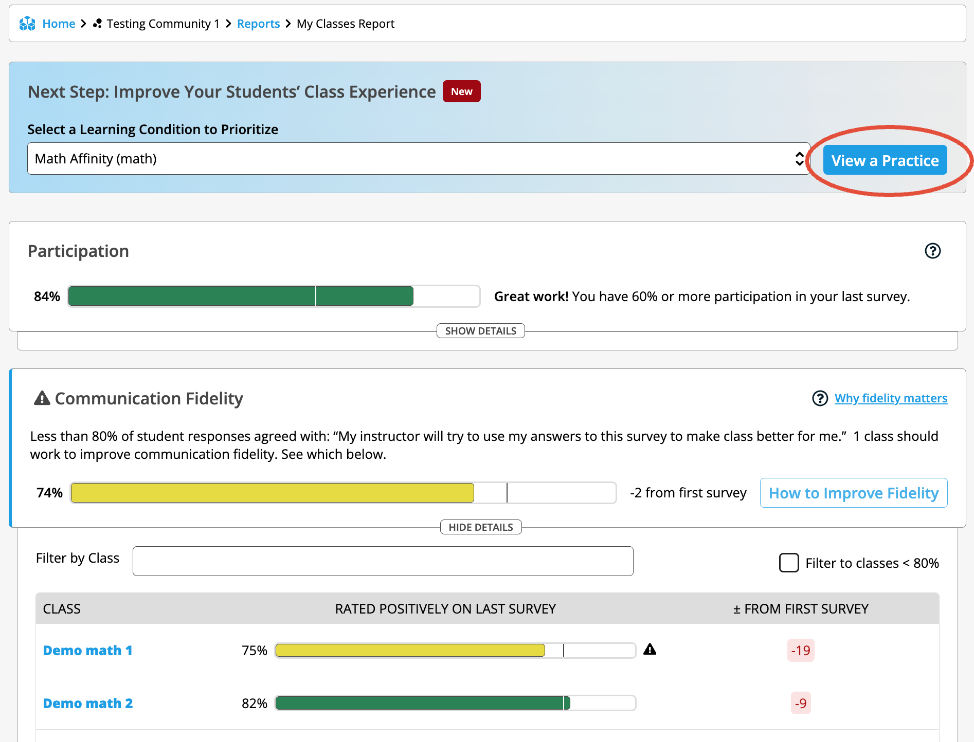
Once you’ve decided on a learning condition you’ll prioritize improving, navigate to the top of your report and use the dropdown to select your learning condition and click View a Practice.
Try out a new strategy in your class for a few weeks before surveying your students again. In this time, you may also meet with a Community of Practice with teachers who are also using Elevate to share ideas. Additionally, this is a good time to share your Elevate data with your students to get their input on strategies that may support them related to each learning condition. For suggestions about how to debrief data with your students, check out this article.
Survey your students again to see how their experience has changed. Adjust your approach based on your data, and continue working to improve!